Staff hunt through bookmarks, old emails and three different drives to find the form they need. Keystone puts every link your school uses on one page, sorted the way you sort it, and shows each person only what belongs to them.
No sales call required. The demo is the real product, with sample data.
Keystone does not replace anything you already run. It sits in front of all of it. Your timetable, your grade book, your forms, your shared drives, your policies: whatever you already use stays exactly where it is, and Keystone becomes the one place people go to reach it.
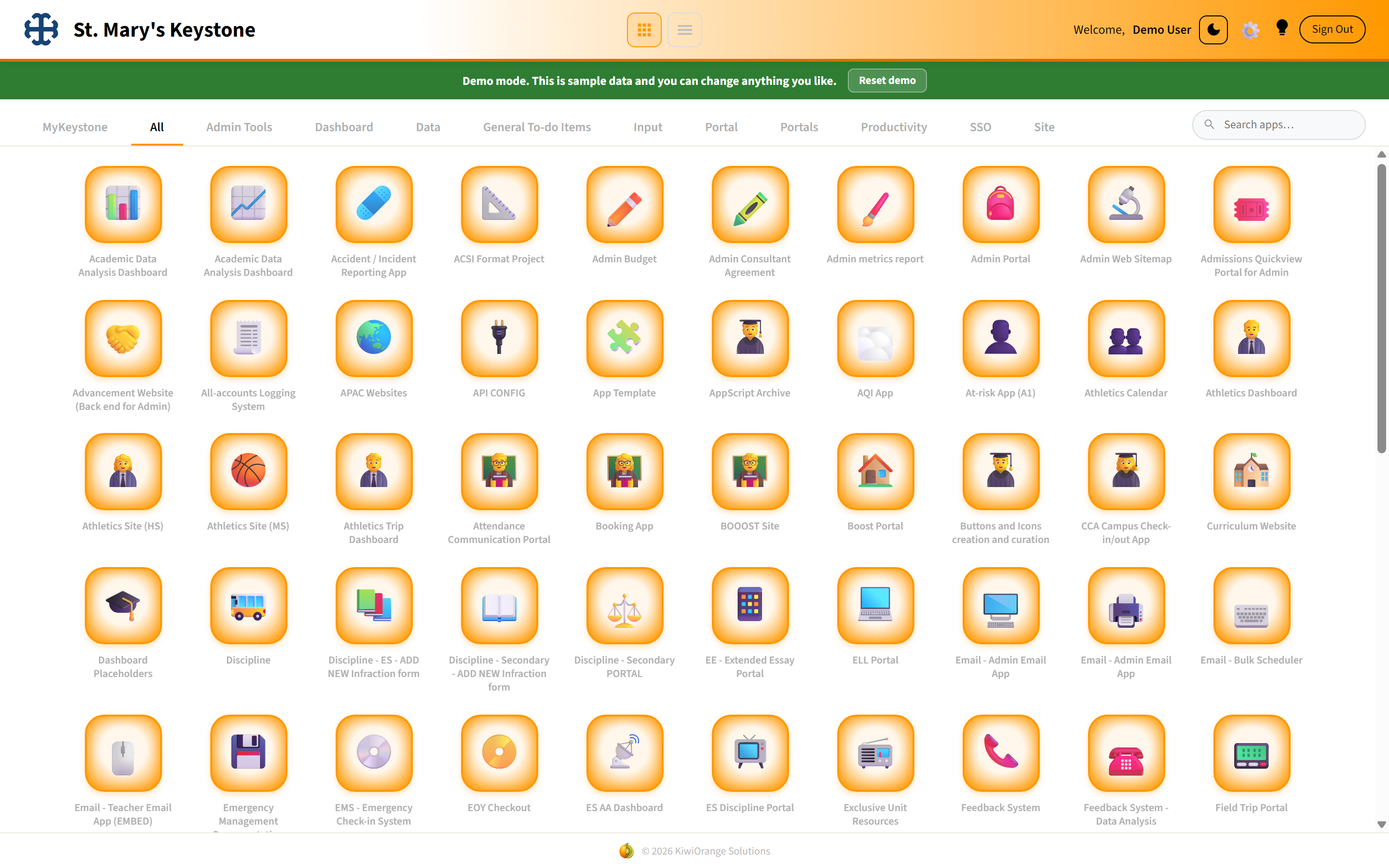 The icon page. Categories become tabs, and people pin what they use most.
You create the categories. Teaching, Admin, Parents, Sport, whatever matches how your school actually talks about itself.
Every link gets an icon, so people find things by shape at a glance instead of reading a wall of text.
A grid of icons, or a side menu that opens each thing in place. People pick whichever suits them.
The same hub installs on a phone home screen as an app, with the same links and the same permissions.
You set Keystone up yourself. There is no implementation project and nobody has to visit. The first time you sign in it walks you through four steps in the order that actually works.
Name and logo. Only the name is required, and you can change it whenever you like.
Usually just your email domain. Everyone with an address at your school gets in, and you never keep a list of names.
The tabs across the top. Start with three or four and add more as you go.
Paste an address, pick an icon, choose who sees it. Repeat until your school is on the page.
 Guided setup. Every step explains why it matters, and any step can be skipped.
Every link belongs to one or more of Staff, Admin, Admin Assistants, Parents and Students. Someone only ever sees a link if they are in one of its groups, and that filtering happens on our server, not hidden in the page. A parent cannot reach a staff link by looking at the page source, because it was never sent to them.
Say yourschool.org once and everyone at your school can sign in. You are storing a rule, not a list of people.
No names. No student numbers. If you add specific addresses they are stored one way, so not even we can read them back.
Signing in sends a code to the address itself, so being on the right domain has to be proven rather than typed.
Send staff their address and parents theirs. Same hub, different door, different contents.
One subscription per campus. Billed once a year. Cancelling stops your next payment and you keep Keystone until the end of the year you have paid for. We do not refund part of a year.
Links you already have, and an email domain. We do not need your student information system, your roster or your files.
No. Keystone holds links and access rules. Where a specific address is needed it is stored one way and cannot be read back by anyone, including us.
You do, in four guided steps. If you get stuck the founder will help you directly.
You edit it yourself in seconds. Nothing goes through us and there is no ticket to raise.
Yes. It installs to the home screen and behaves like an app, with the same links and the same permissions.
Cancelling stops the next payment. You keep working until the end of the year you have already paid for.
The demo is the real product with a sample school loaded. Open everything, change anything, break it if you like.